Ticket Example : WUU-211-90222
Setting up quota need to be done when there is an error while modifying the email quota in the DirectAdmin
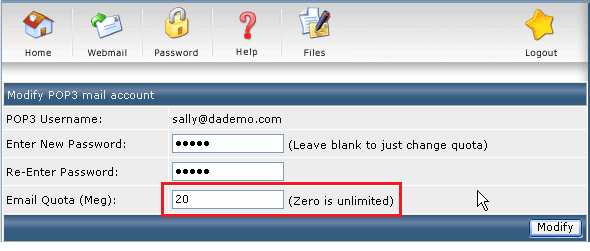
To setup the quotas, firstly check the disk space
df -h
Example:
[root@es7-64 ~]# df -h

Filesystem               Size  Used Avail Use% Mounted on

/dev/mapper/centos-root   14G  2.3G   12G  17% /

devtmpfs                 915M     0  915M   0% /dev

tmpfs                    921M   24K  921M   1% /dev/shm

tmpfs                    921M  8.5M  912M   1% /run

tmpfs                    921M     0  921M   0% /sys/fs/cgroup

/dev/sda1                497M  125M  372M  26% /boot

[root@es7-64 ~]#
Next, check if the partition is using the xfs file system
mount | grep ' / '
It should be something like this,
[root@es7-64 ~]# mount | grep ' / '

/dev/mapper/centos-root on / type xfs (rw,relatime,attr2,inode64,noquota)

[root@es7-64 ~]#
If you see the “noquota” option, follow the steps below.
Edit the grub file :
vi /etc/default/grub
and find the line “GRUB_CMDLINE_LINUX”
GRUB_CMDLINE_LINUX="rd.lvm.lv=centos/swap vconsole.font=latarcyrheb-sun16 rd.lvm.lv=centos/root crashkernel=auto vconsole.keymap=us rhgb quiet"
edit by adding “rootflags=uquota,pquota” and the end of the line
GRUB_CMDLINE_LINUX="rd.lvm.lv=centos/swap vconsole.font=latarcyrheb-sun16 rd.lvm.lv=centos/root crashkernel=auto vconsole.keymap=us rhgb quiet rootflags=uquota,pquota"
Once done, copy the file . We will backup, then create a new grub.cfg file
cp /boot/grub2/grub.cfg /boot/grub2/grub.cfg.orig
grub2-mkconfig -o /boot/grub2/grub.cfg
Lastly, reboot the server to see the kernel options changed. Once server is up, you can check it again by
mount | grep ' / '