CPU frequency scaling enables the operating system to scale the CPU frequency up or down in order to save power.
Frequency value must be between scaling_min_freq and scaling_max_freq.
When CPU frequency governor is set to “powersave” mode, CPU is set to the lowest static frequency (within the borders of scaling_min_freq and scaling_max_freq).
To achieve maximum performance, It is recommended to set The CPU frequency governor, “scaling_governor”, to “performance” mode
1. To view the current scaling_governor value per CPU, run:
cat /sys/devices/system/cpu/cpu*/cpufreq/scaling_governor
2. To set the scaling_governor to “performance” mode for each CPU, run:
echo performance | tee /sys/devices/system/cpu/cpu*/cpufreq/scaling_governor
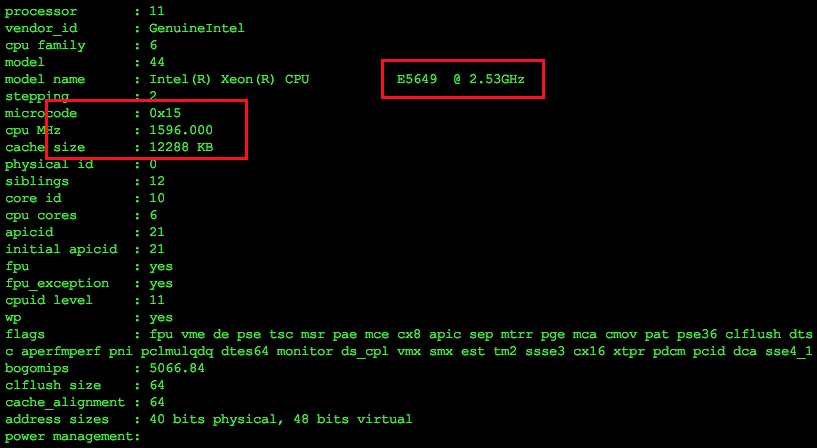
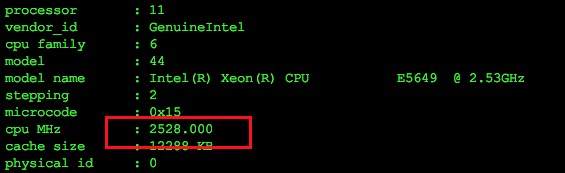
Below are screenshots of the CPU specs before and after changes (cat /proc/cpuinfo):
For centos7, easier way you can use the following command
cpupower frequency-set --governor performance