VMware Tools is a suite of utilities that enhances the performance of the virtual machine’s guest operating system and improves management of the virtual machine.
1. On the host, from the VMware Fusion menu bar, select Virtual Machine > Install VMware Tools.
If an earlier version of VMware Tools is installed, the menu item is Update VMware Tools.
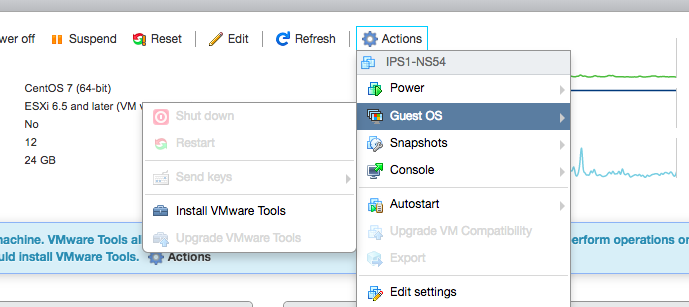
2. Login to server and mount the cdrom
[cc lang=”bash”]mkdir /mnt/cdrom
mount /dev/cdrom /mnt/cdrom
cd /mnt/cdrom
[/cc]
3. Copy VMWware Tools Installer to /tmp and extract
[cc lang=”bash”]cp VMwareTools-10.1.7-5541682.tar.gz /tmp
cd /tmp
tar -xvf VMwareTools-10.1.7-5541682.tar.gz[/cc]
4. Install VMWware Tools
cd vmware-tools-distrib
perl vmware-install.pl
*press enter until installed.