This guide is applicable to VMware ESXi 6.5. Login to web console and navigate to,
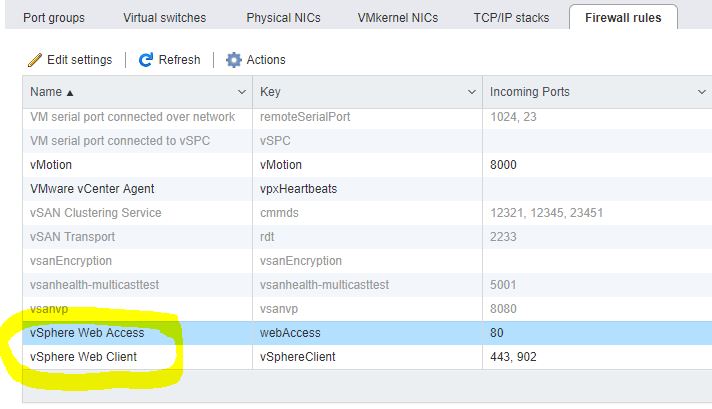
Networking > Firewall Rules and Highlight ‘vSphere Web Access’
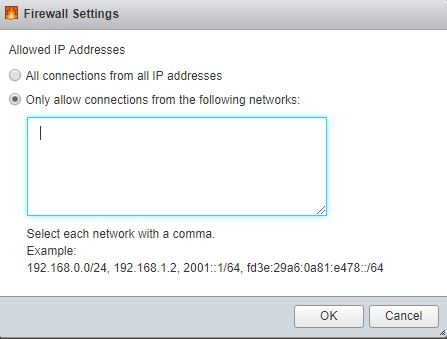
Click ‘Edit settings’ and input IP address which you want to allow,
Repeat the same steps to vSphere Web Client, save and hit Refresh.